
CV Templates: 4 Layouts Compared on the Same CV
A CV template settles three things before anyone reads a word: how much fits on the page, how quickly the CV can be scanned, and whether an applicant tracking system (ATS) can read it. Below are the four templates in our CV Builder, each shown on the same fictional CV so that the layout is the only thing that changes.
What a Good CV Template Does
A template should make your content easier to read. In practice that means one or two pages, real text you can select rather than an image, plain headings such as Profile, Experience, Education and Skills, and your most recent role first. Our guide to CV format for ATS lists what parsers struggle with, including columns, tables and text boxes, and our guide to how to structure a CV covers the order of sections.
The Same CV in Four Templates
The CV in these images is fictional: an operations coordinator with five years of experience. The content is identical in all four, so what you see is the template itself.
Essential: Clean and Spacious
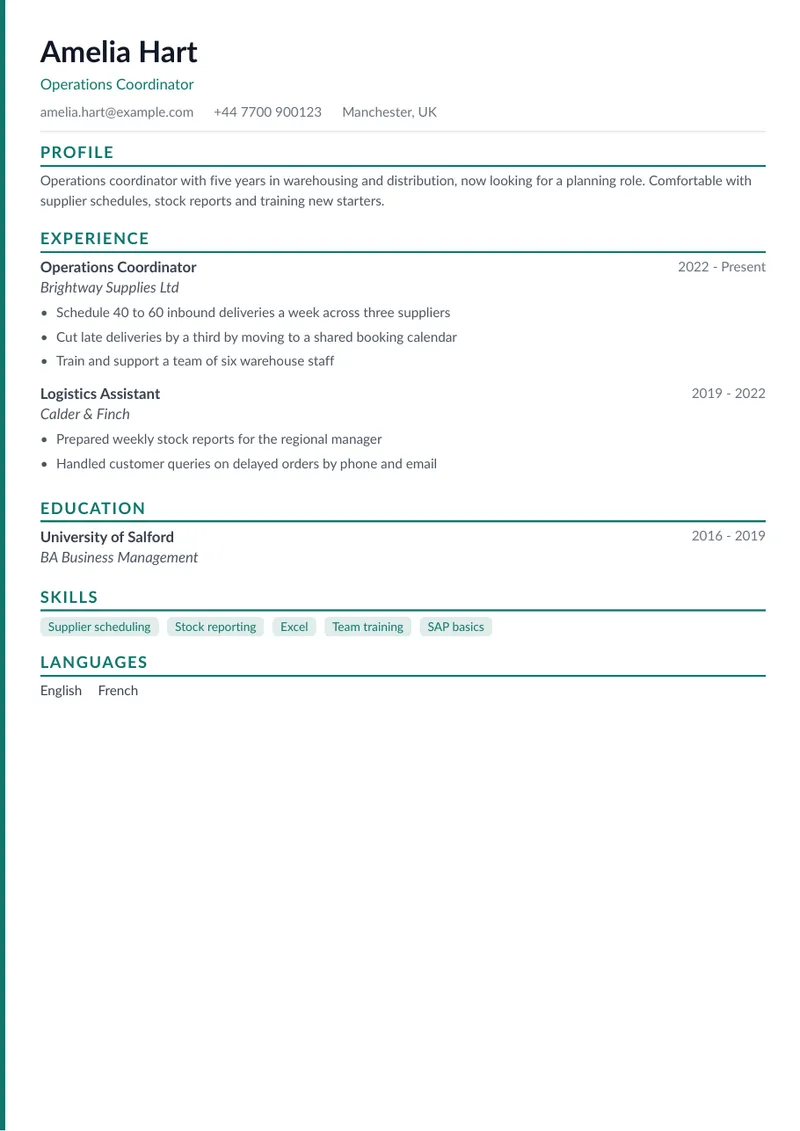
Essential is a single-column layout with coloured section headings and skills shown as tags. The CV Builder labels it clean and ATS-ready and suggests it for fewer than five years of experience, which makes it a sensible default for corporate and traditional roles.
Classique: Serif Headings
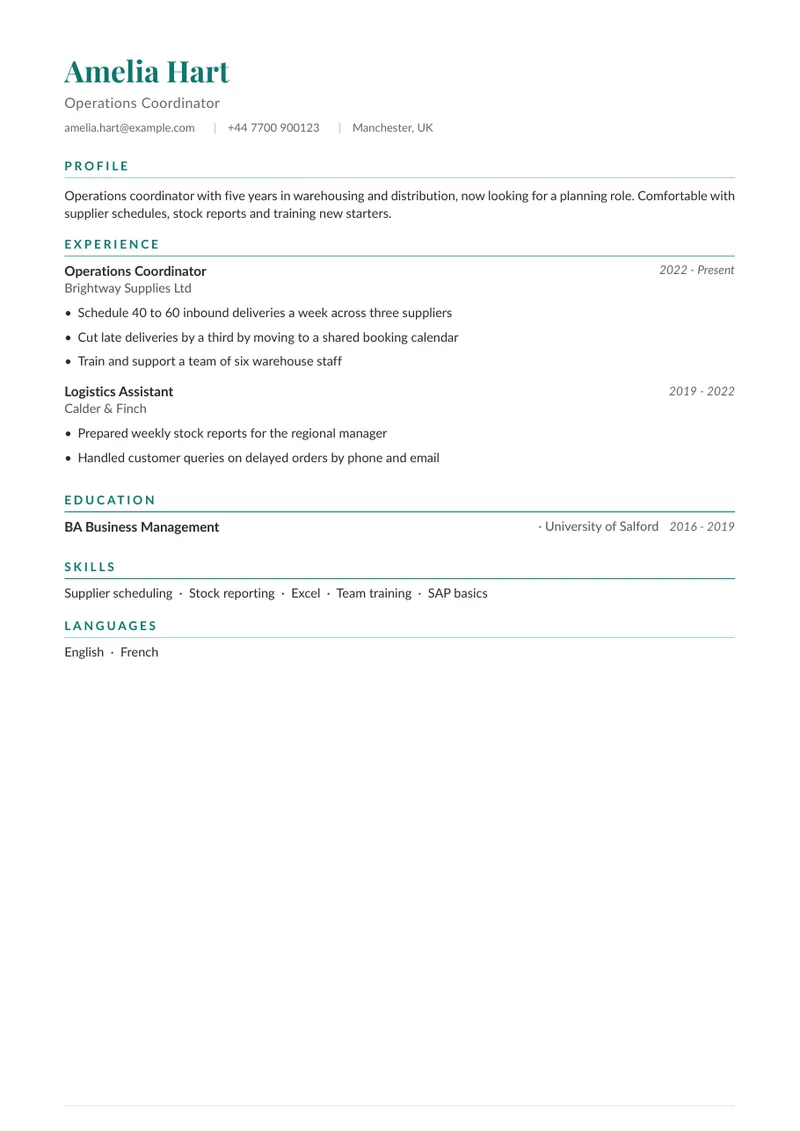
Classique keeps the single column and uses a serif typeface for your name, with a thin rule under each section title. The structure matches Essential, so it is an easy step up when you want a more polished, distinctive look without changing how the CV reads.
Modern: Two Columns With a Sidebar
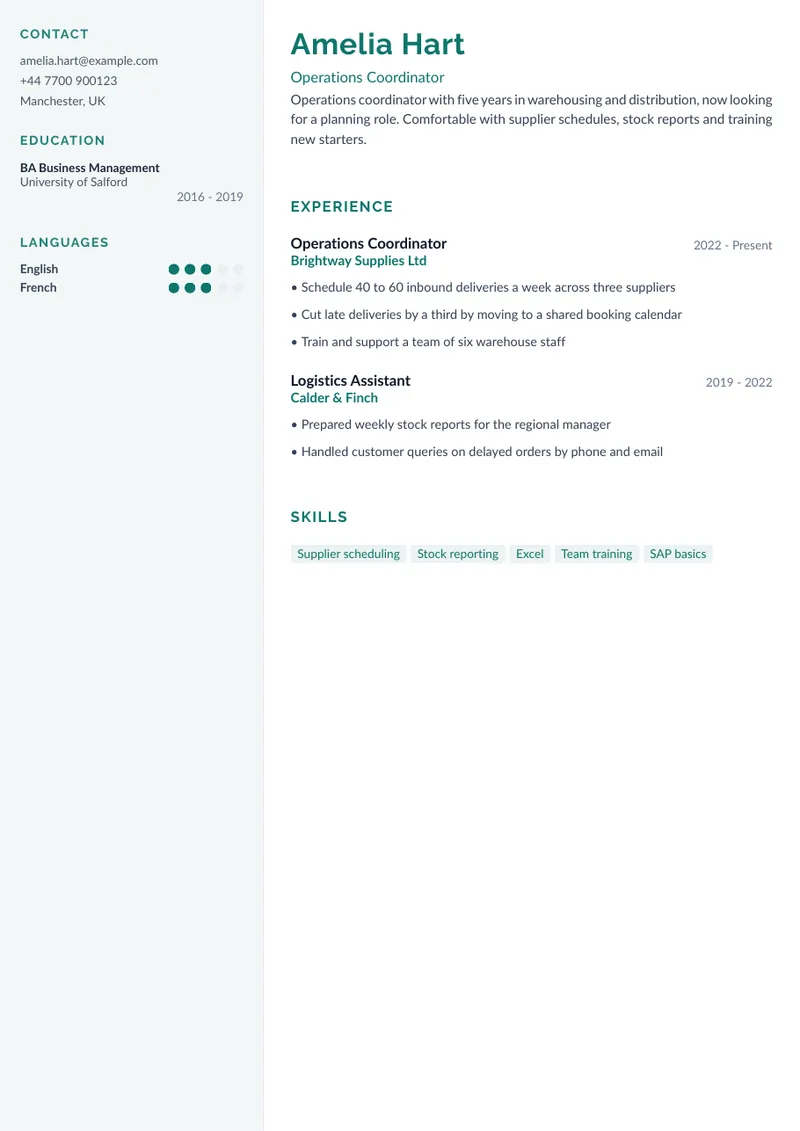
Modern places contact details, education and languages in a coloured sidebar and keeps experience and skills in the main column. It shows detailed skills well and suits tech roles. The builder itself flags lower ATS compatibility, because parsers can struggle with columns, and warns that it works best with three or more roles. It is a good fit when a person will read your CV first, for example after a referral or at a smaller company, and a poorer one when it goes straight into an ATS.
Executive: Centred Header for Senior Profiles
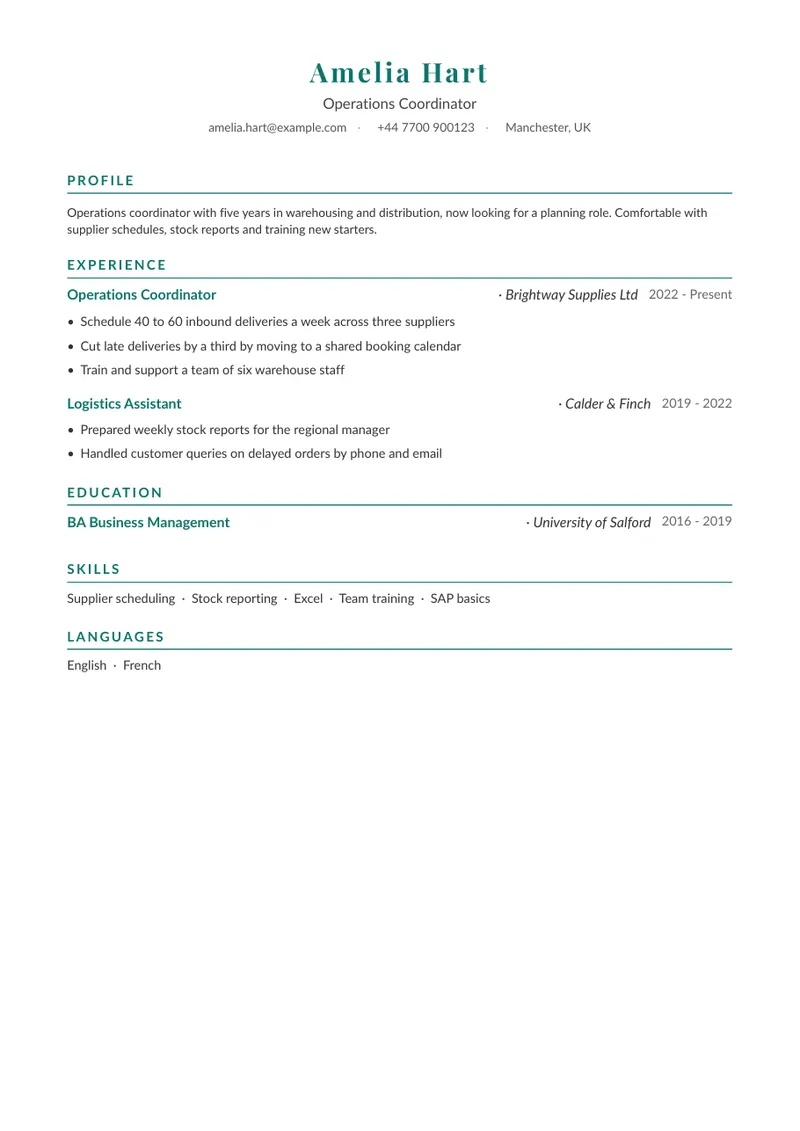
Executive centres your name and contact line above a single column with ruled section headings. The builder recommends it for experienced leaders. It is a conventional layout that handles a long list of roles without the design getting in the way.
How to Choose a CV Template
- Fewer than five years of experience: Essential. The spacious layout lets a short career fill a page properly.
- Your CV goes through an ATS: one of the single-column templates, Essential, Classique or Executive.
- A person will read it first and your skills are the story: Modern.
- A long career at senior level: Executive, or Classique if you prefer the serif look.
Whichever you pick, keep to one or two pages and one accent colour, and let the content carry the CV: no template can fix a list of duties where results should be. Our CV examples show what a strong one reads like, and the guide on photos on a CV covers whether to add one.
Word or PDF?
Our templates download as PDF, which keeps the layout identical on every device. The ATS format guide above explains that both Word and PDF work when the text is real text. If an employer asks specifically for a Word file, the CV Builder does not produce one.
Are These CV Templates Free?
Building your CV is free: Career Strategy turns your upload into a base CV that you can read and edit on screen, and the CV Builder lets you compare templates on it. The on-screen preview carries a PREVIEW watermark, and downloading the PDF needs a one-off payment or a subscription. The pricing page has the current details.
Try a Template on Your Own CV
Start with CV Score, which checks the format, section titles and contact details of your CV against ATS criteria, so you know what to fix whichever template you choose. Then open the CV Builder to see the four layouts on your own content, change the accent colour and switch the language of the document.
Related Guides
Take the Next Step
CV Score checks the format, section titles and contact details of your CV against ATS criteria, so you can fix the basics whichever template you choose.
Try the toolRelated guides
ATS CV Format: What a Parser Can and Cannot Read
Columns, tables, text boxes, images: what Greenhouse, Taleo and Textkernel document about how an ATS reads a CV, and how to check yours.
Read GuideApplicationsHow to Structure a CV
The right CV structure depends on your experience: section order, when to use a skills-based layout, length rules, and what costs interviews.
Read GuideApplicationsCV Examples: 6 UK Examples for Your Situation
Six UK CV examples (student, sales, admin, career change, manager and developer) and how to adapt one to your own CV without copying it.
Read GuideApplicationsShould You Put a Photo on Your CV? What UK, French and Spanish Employers Expect
No photo on a UK CV, optional in France, usual in Spain. Why the rules differ, what a good CV photo looks like, and how to handle several countries.
Read Guide